
Track payroll and overtime
Set pay rates, see what everyone has earned this month, and avoid accidental overtime.
- 1
Set pay rates
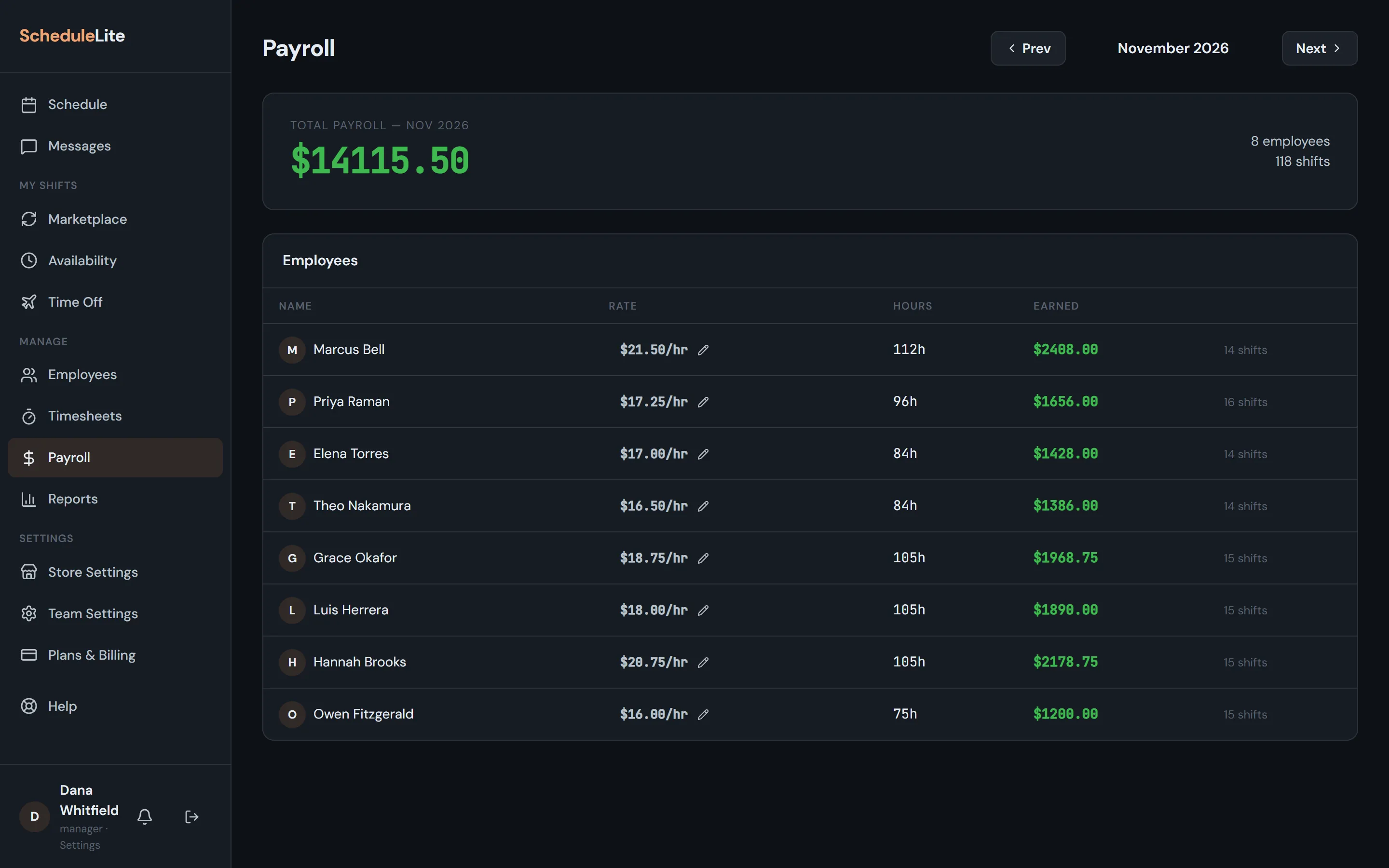
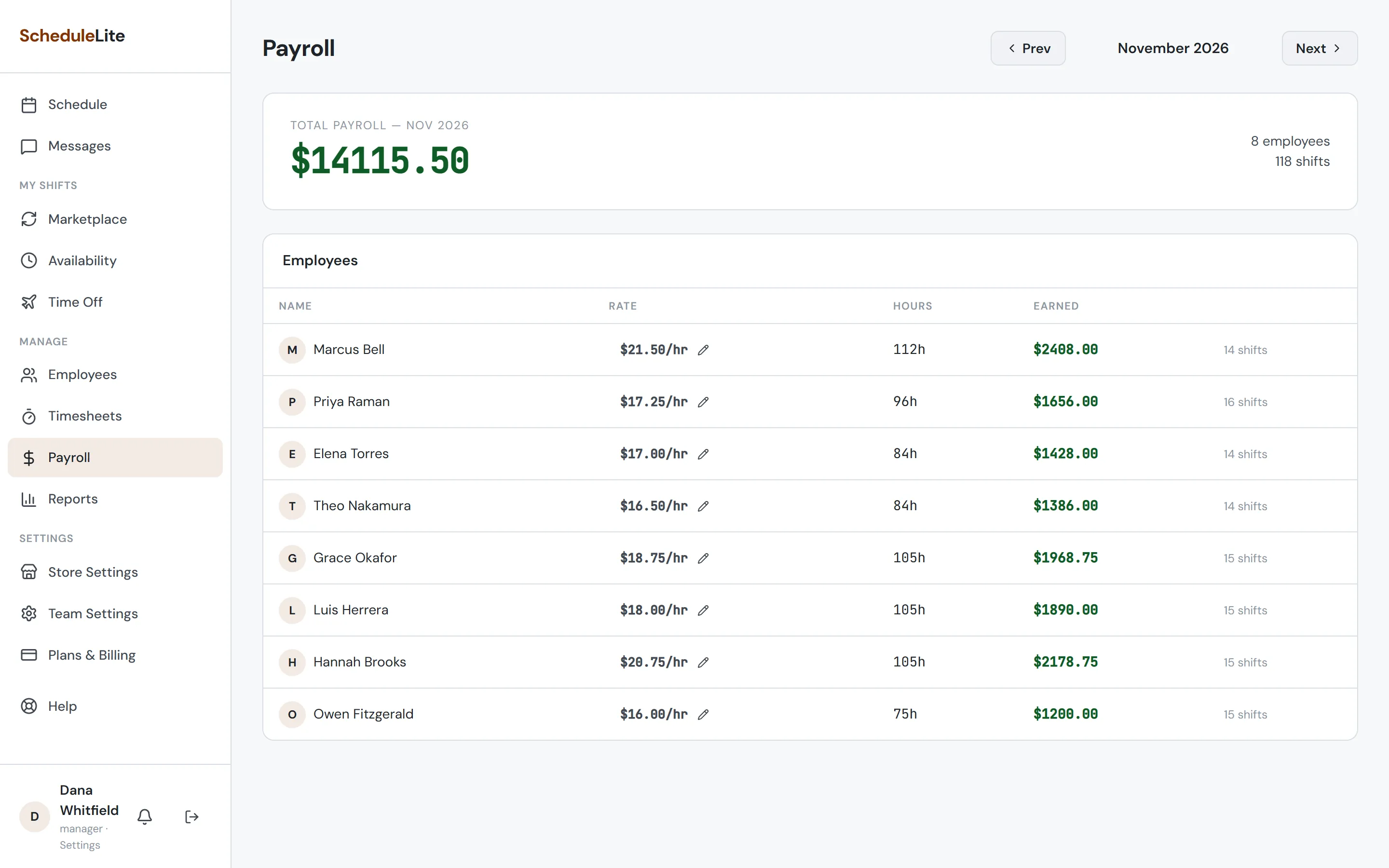
On Payroll, click the pencil next to anyone’s rate to change it. Employees can be hourly or fixed-rate.
- 2
Review the month
Payroll totals hours and earnings per person for the month, plus a team total. Use Prev and Next to move between months.
- 3
Choose your overtime rules
In Store Settings → Overtime Rules, pick federal rules or your state’s. When a shift would push someone into overtime, CrewCrow warns you before saving, and employees can’t pick up a marketplace shift that would put them into overtime without your approval.